
Every peshi, every proceeding, in one diary you carry.
PocketPeshi is a case diary for advocates and their assistants. See what is fixed today, record what happened in court even with no signal, and keep client fees and documents with the case.
Get startedFree to use. Already have an account? Log in
Court work is spread across too many places
- Hearing dates live in a paper diary, a WhatsApp group and a clerk's memory. Sometimes they disagree.
- You write up the order sheet after you've left the court, from memory.
- There is no signal inside the court building, so notes wait until you are home.
- The agreed fee is settled in conversation and then not written down anywhere.
A single case file, from the first hearing to the last
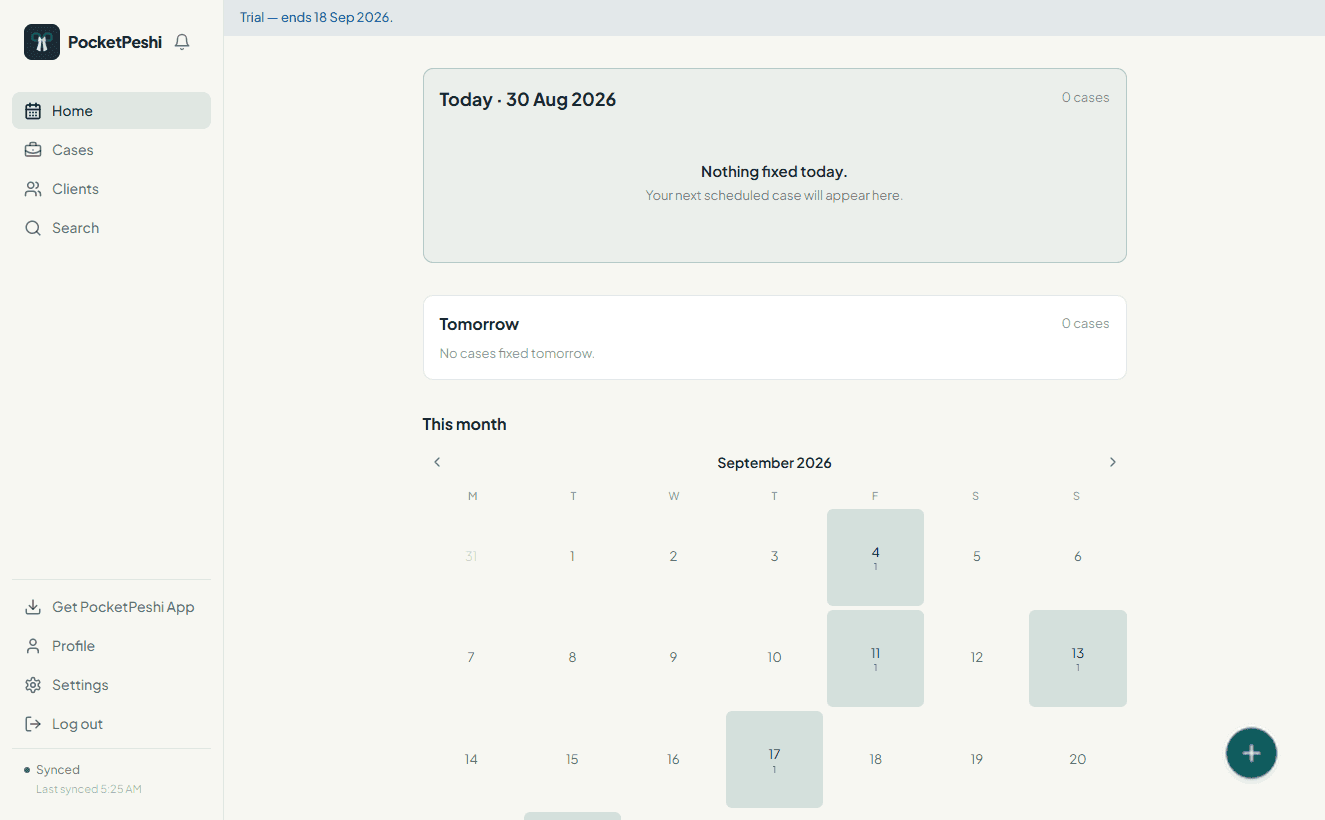
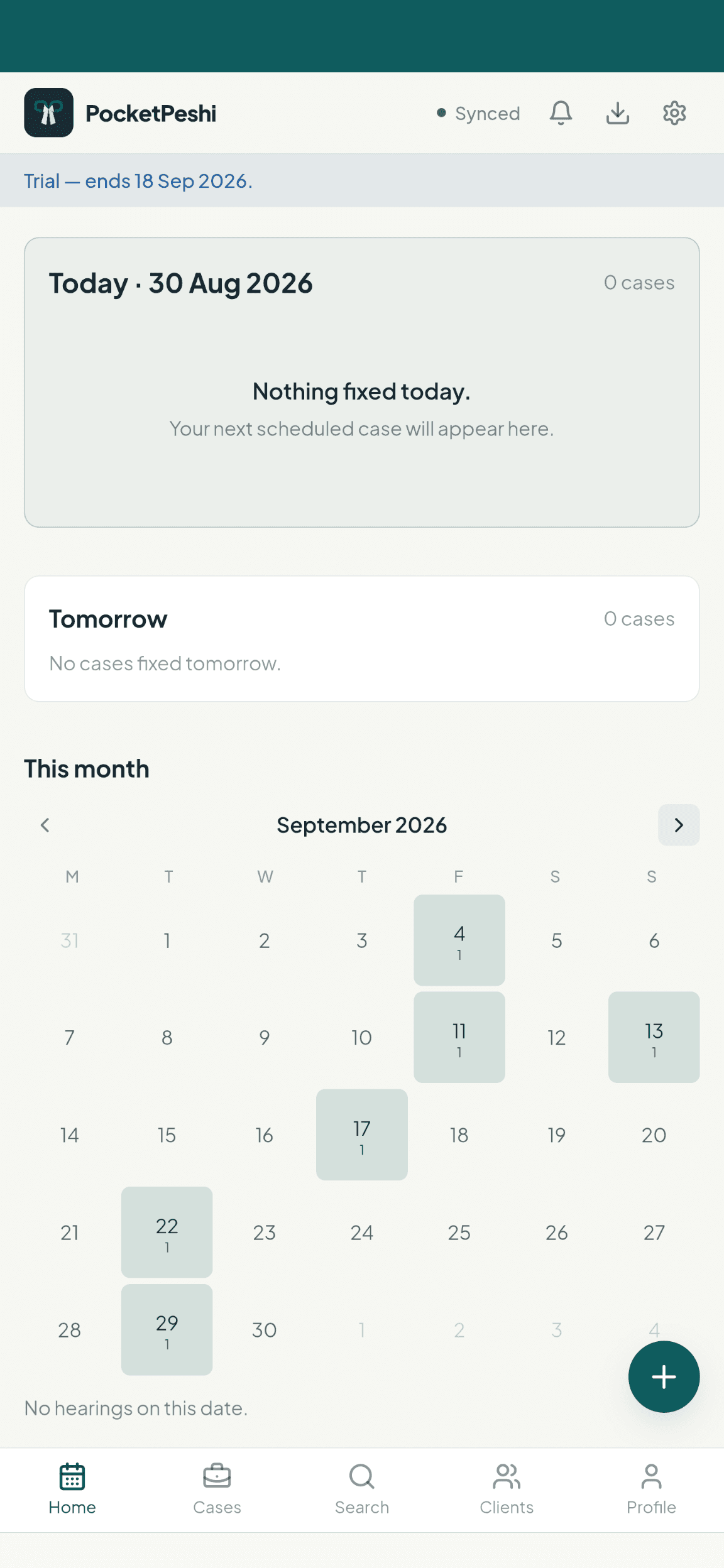
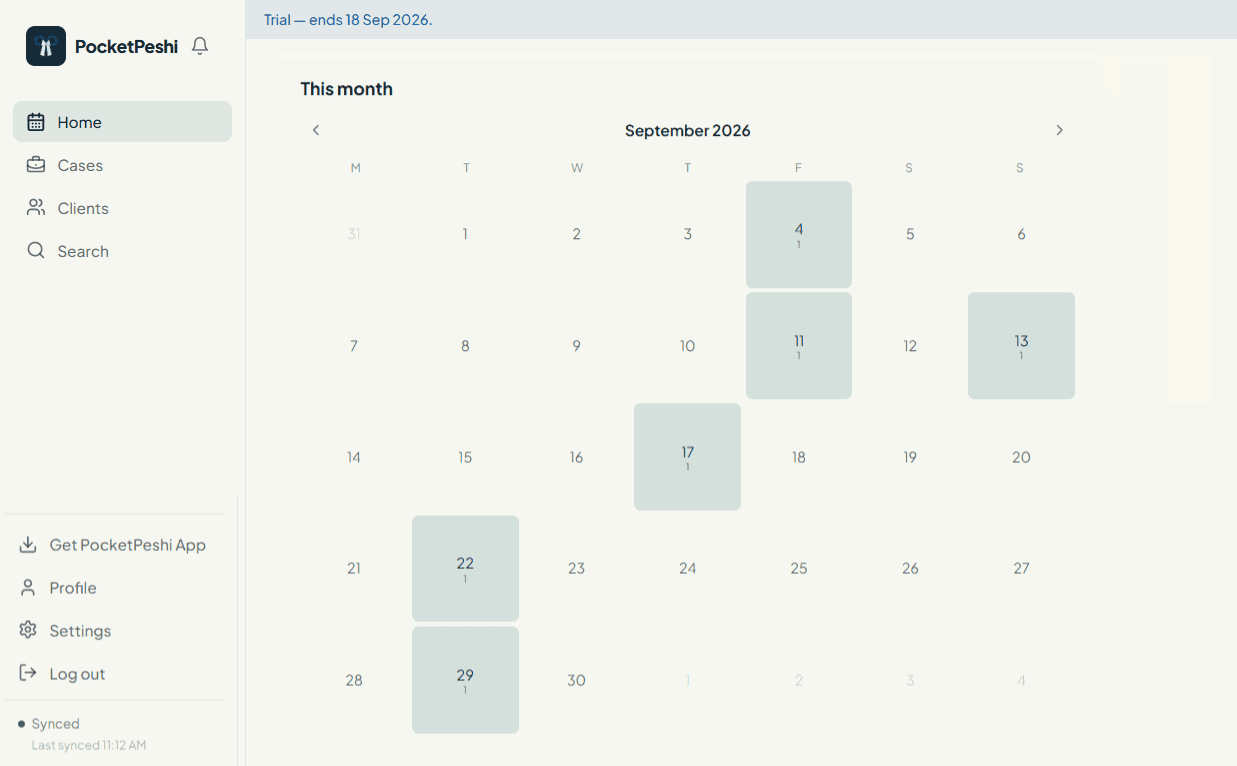
Today, tomorrow, and the month at a glance
Home opens on the cases fixed today and tomorrow. The monthly calendar shades each date by how many hearings it holds, so a heavy week is visible before it arrives.
- Today and tomorrow cause lists on the first screen
- Month view with per-date hearing counts, not colour alone
- Cases with no proceeding recorded are flagged as missed
A proceedings history and a stage map that match real litigation
Every case file keeps its proceedings in date order. The stage map records appeals, revisions, remands and restorations as they actually happened — not a straight line of ticks.
- Proceeding history with outcome and the stage at the time
- Appeal, revision, review and execution as separate rounds
- Remand and restoration shown as real procedural movement
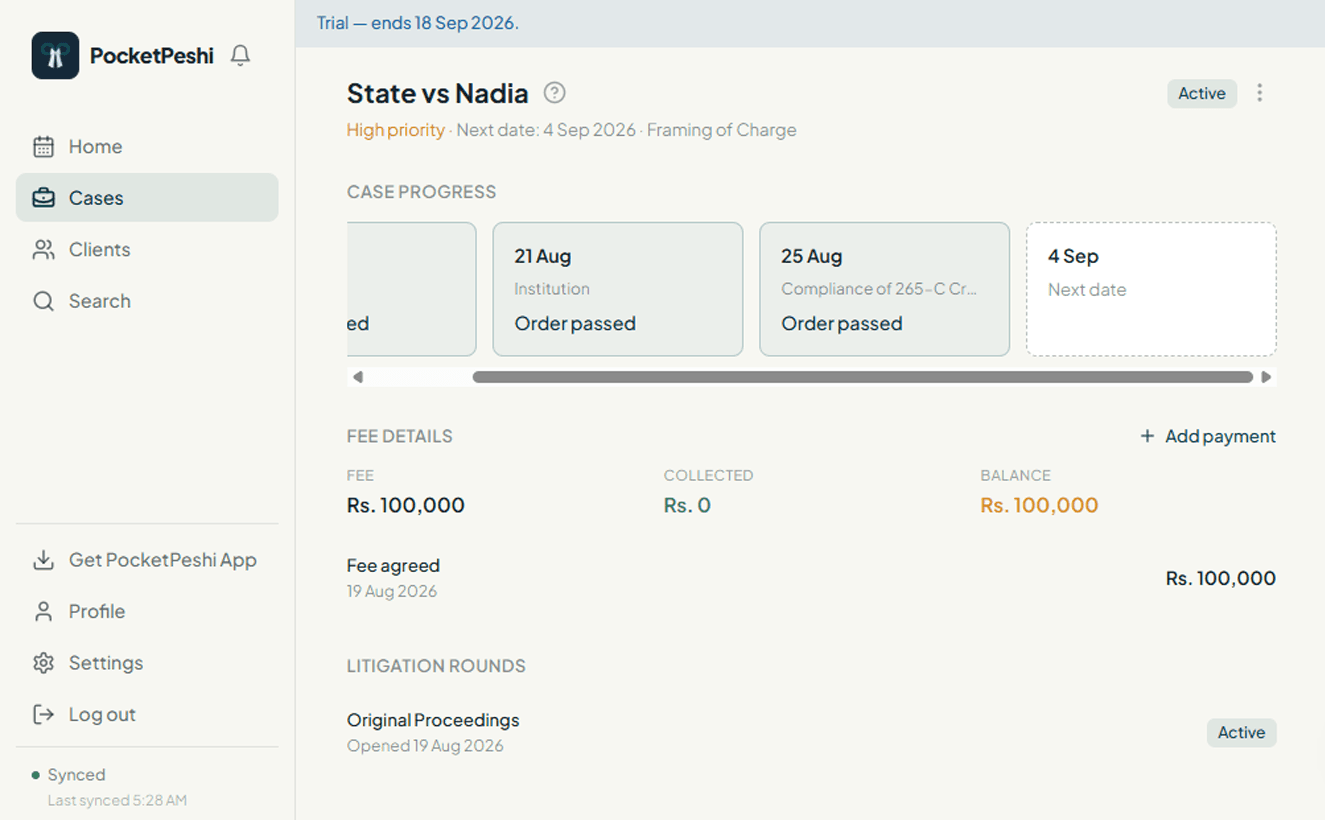
Client fees, recorded as they are paid
Set the agreed fee for a case, then add each payment as it comes in. PocketPeshi keeps the running balance. Voiding an entry is lawyer-only and stays on the record with an audit trail.
Scanned documents, filed with the case
Photograph an order sheet on the way out of court, or upload pleadings and evidence from the chamber. Documents stay with the case and open through a short-lived private link.
Record it in the corridor. It syncs when you are back on data.
PocketPeshi keeps a copy of your cases on the device. Proceeding and fee entries are only shown as confirmed once the server has them — nothing is faked, and a rejected change is undone rather than left to look saved.
- Step 1
Record the proceeding with no signal
- Step 2
It is held on your device, marked pending
- Step 3
It syncs and confirms when you reconnect
From application to daily use
- 1
Sign up
Create your account from the sign-up form.
- 2
Set up
Add your clients and cases, and your assistants.
- 3
Check
See what is fixed today and across the month.
- 4
Record
Note the proceeding and next date, online or offline.
- 5
Keep
Track fees and upload documents as you go.
Free to use. Premium is on the way.
Rs. 0/ forever
Everything PocketPeshi does today, at no cost. Ads may be introduced in a later update.
- Unlimited cases, clients, hearings and proceedings
- Offline recording of proceedings and next dates
- Your assistants on the same workspace
- Scanned documents kept with each case
- Client fee ledger with a full audit trail
Rs. 999/ month
An optional plan with premium features on top of everything in Free. The feature set is being defined for the next version.
Premium is purchased from inside the app — not here.
A few things people ask first
Do I need internet to use it?
No. The main screens open offline and you can record proceedings and next dates with no signal; they sync when you reconnect. Signing up and creating a new case or client need a connection.
Who can see my case data?
Your workspace is private to you and the assistants you add. Platform administrators can reach workspace content only for support you have asked for, for security, or where the law requires it, and every such access is written to an audit log.
Can my assistant use it?
Yes. A lawyer and their assistants share one workspace. You add them from Settings and they work from the same case files.
What does it cost?
Everything PocketPeshi does today is free. A Premium plan at Rs. 999/month is coming, with premium features for the next version, and is bought from inside the app. Ads may be introduced on the free plan in a later update.
Get started, free
PocketPeshi is free to use. A Premium plan is on the way.
Get startedAlready using PocketPeshi? Log in